


Chick-fil-A Play
4.0620.00 Reviews
App Specs
- Version
- 2026.4.0
- Updated On
- License
- Free
- Downloads
- 500,000+
- Developer
- Chick-fil-A, Inc.
- Categories
- Entertainment
- Platform
- Android
Screenshots

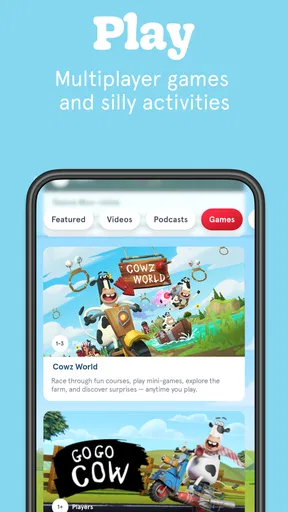
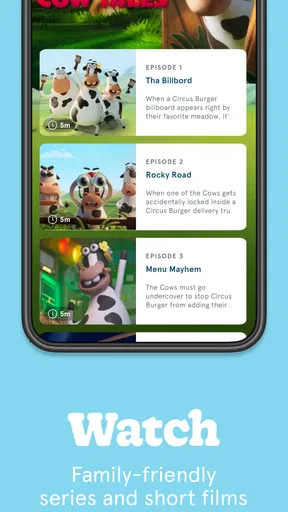
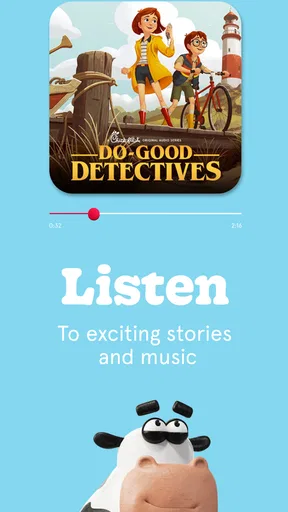
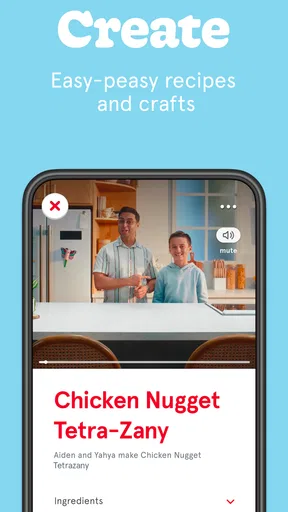

 Analysis by AppCompare
Chick-fil-A Play is an entertainment app from Chick-fil-A, Inc. that aims to turn spare moments into something the whole family can share. I approached it less like a restaurant utility and more like a small digital activity center: something to open during a quiet afternoon, while waiting, or when children need a distraction that feels a little more intentional than endlessly scrolling through short videos. The free price makes trying it easy, but the more important question is whether it remains useful after the first burst of curiosity.
My first impression was positive because the app has a clear personality. It is not trying to replace a full game library, a streaming service, or a social platform. Instead, it sits in a narrower entertainment space connected to the Chick-fil-A brand. That focus can be an advantage for families who want a simple, approachable experience, although it also means people looking for deep progression or a large variety of activities may reach its limits quickly.
What the first week feels like
The first week is where Chick-fil-A Play makes its strongest case. The idea is easy to understand, and the family-friendly positioning removes much of the hesitation parents may have when handing an app to a younger child. Its Everyone age rating supports that broad audience, while the interface feels designed for casual discovery rather than serious competition or complicated setup.
I found the best use was not treating it as an app that needed a long session. It works better as a short, shared activity: open it when there is a few minutes to fill, let a child explore, and join in when the moment calls for it. That distinction matters. A product can be enjoyable without becoming a daily destination, and this one feels most comfortable when used in small portions.
A realistic example is a family waiting for food or sitting together after a meal. One person can take the lead, while another watches or comments. That makes the experience different from handing over a phone and walking away. The strongest early value is its ability to create a small shared moment, not to occupy someone for an entire afternoon.
During the first few sessions, I would recommend exploring the app alongside a child rather than simply leaving it open. That helps you understand which parts hold attention and which are better suited to quick visits. It also gives you a chance to decide whether the app fits your household’s preferred screen habits. Even a family-friendly app benefits from a little supervision, especially when children are sharing a device.
The app’s store presence shows a 4.0 average from around 1.4 thousand ratings, with more than 500 thousand installs. Those figures suggest that it has found an audience beyond a tiny promotional experiment, but they do not guarantee that every family will enjoy the same parts. I would read the numbers as evidence of reasonable interest rather than proof that it offers endless replay value.
Worth Reading Before You Choose

EA SPORTS FC Mobile 26 Is a Bigger Football Game, but It Takes Time

Flipboard Shows What News Apps Must Do Beyond the Feed

Switching to Android Auto Means Rethinking Your Driving Routine

Google Calendar Makes a Crowded Week Easier to Manage

Ludo King Makes the Most of the Minutes Between Plans

Baby Panda World Brings Quick Play to Modern Phones, but Its Game Library Feels Busy
Why the novelty works at first
Chick-fil-A Play benefits from context. If someone already recognizes Chick-fil-A, the app feels immediately approachable instead of anonymous. The connection gives children and parents a reason to try it, and that familiarity can make the first launch feel more inviting than an unfamiliar entertainment app.
There is also a useful psychological advantage in the app’s simplicity. Parents who are tired of sorting through complicated games may appreciate an experience that does not demand a large commitment before it becomes understandable. Children can explore while adults decide whether it deserves a place on the device. That low barrier is one of the product’s better design choices.
Still, the first-week appeal depends heavily on expectations. If you want a substantial game with a long campaign, advanced customization, or a deep competitive loop, you may feel underwhelmed. If you want a light family activity with an identifiable theme, the fit is much better. I would describe it as a companion for casual entertainment rather than a replacement for a dedicated game.
Practical habits that improve the experience
One useful approach is to keep it attached to a specific routine instead of allowing it to become another icon that children open automatically. It can work during travel breaks, restaurant waits, or a planned family screen session. Giving it a place in an existing routine makes its purpose clearer and reduces the chance that it becomes background noise.
Another tip is to rotate who controls the device. A child may discover something an adult misses, while an adult can help decide when the session has reached a natural stopping point. This is especially helpful for families trying to make screen time more social. The app is more distinctive when people interact around it than when it is used as a silent babysitter.
I also suggest checking the current version before judging the experience too quickly. The app is currently at version 2026.4.0, and digital entertainment products can change over time. A feature that feels minor during one visit may become more or less useful after an update, so occasional re-evaluation is smarter than assuming the first session tells the whole story.
Does it earn a place after the first month?
The month-to-month question is harder. Novelty is powerful during the first few days, especially when children are excited to show an app to someone else. After that, recurring value depends on whether Chick-fil-A Play gives families a reason to return that feels different from simply opening a familiar video app or choosing another game.
In my experience, the app is most likely to remain installed when it serves a specific purpose. A family might keep it available for short waits, occasional shared play, or a child who enjoys the Chick-fil-A connection. It is less likely to become a central entertainment habit for someone who already has a carefully chosen collection of games and media.
This is where comparison with usual alternatives becomes important. A general video platform offers far more content, but it can be harder for parents to control the direction of a session and easier for a child to drift from one clip to another. A large mobile game offers deeper systems and longer-term goals, but may bring more complexity, pressure, or repetition. Chick-fil-A Play occupies the middle ground: more focused than an open-ended feed, but lighter than a dedicated game.
That middle position is both its strength and its limitation. You get a focused family-oriented experience without needing to learn a large system. However, you should not expect the same depth, variety, or long-term challenge that a specialized entertainment product can provide. I would keep it as one option in a rotation rather than make it the only app available for family activities.
Who is likely to return
Families with younger children are the clearest audience, particularly those who prefer short sessions and recognizable, approachable themes. It can also suit adults who want to participate without becoming experts in a complicated game. The low-pressure character makes it easier to join for a few minutes and leave without feeling that progress has been wasted.
The app may also appeal to Chick-fil-A customers who enjoy extending the brand experience beyond a visit. That does not automatically make it valuable for everyone, but it gives the product a natural place in some households. When an app connects to an existing family routine, it has a better chance of being remembered than a random download.
On the other hand, I would skip it if your main goal is serious gaming, educational depth, or a large catalog of constantly changing entertainment. It is also not the best choice for someone who dislikes branded experiences altogether. In those cases, a standalone game, a curated children’s media service, or a broader family activity app will probably offer a better match.
The free price removes the financial risk of testing it, which is important for a product whose long-term usefulness varies so much by household. You can try it without treating the decision like a major purchase. Even so, free does not mean frictionless: your time, storage space, attention, and willingness to manage another app still count.
Where the recurring value can weaken
The main risk is repetition. Any compact entertainment app can feel fresh at first and predictable later, particularly when the user has already seen the parts that initially created excitement. If children stop asking for it after a few sessions, that is a sign to treat it as an occasional activity rather than forcing it into a daily routine.
Another source of fatigue is the branding itself. The Chick-fil-A identity gives the app a clear character, but it can also make the experience feel narrower than a neutral game or family platform. Some users will enjoy that connection; others may prefer entertainment that stands on its own and does not remind them of a particular company.
There is also a practical maintenance burden. Even a simple app needs to remain updated, and families need to decide whether it still deserves a place on the device. The minimum operating system is Android 8.0, which makes it accessible to many older Android devices, but compatibility alone does not guarantee that an older phone will feel comfortable for every user. Screen size, performance, and available storage can still affect convenience.
I would also avoid judging the app solely by whether it keeps a child occupied for a long time. Long sessions are not automatically a sign of quality, and short sessions are not automatically a weakness. For this particular product, a brief, pleasant interaction may be the intended success. The better test is whether your family voluntarily returns to it for a clear reason.
Maintenance without turning it into a chore
My preferred maintenance routine is simple: keep notifications and device settings under adult control, check the app occasionally, and remove it if it no longer fits your family’s habits. I would not build a complicated management system around it. Its appeal is supposed to come from easy access, so excessive supervision can make the experience feel more burdensome than useful.
It is also worth setting expectations before the first session. Tell children whether the app is for a short wait, a shared activity, or a limited screen break. That prevents the common problem of an entertainment app becoming an argument about when to stop. Because Chick-fil-A Play is casual, it is well suited to clear boundaries rather than open-ended use.
For travel, I would test it before relying on it as a distraction. A family should know how it behaves on its device and whether the child actually enjoys it before making it part of a longer journey. That small trial is a better strategy than assuming a newly installed app will solve boredom on demand.
My long-term verdict
After looking beyond the first-week excitement, I see Chick-fil-A Play as a pleasant optional extra rather than an essential entertainment app. Its best qualities are its approachable family focus, free entry, and ability to support short shared moments. The developer, Chick-fil-A, Inc., has created something that is easy to place into a casual routine, especially for households already comfortable with the brand.
Its weaknesses are equally clear. The experience may not provide enough depth for dedicated players, and its branded identity will not appeal to everyone. Long-term value depends on rotation and context rather than constant use. If you expect a large, endlessly renewing library, you are likely to move on quickly. If you want a lightweight activity for children and adults to explore together, it has a more convincing role.
The Everyone rating and broad availability make it an uncomplicated app to consider for family use, while the free price means trying it costs little beyond the time spent evaluating it. I would install it when I wanted another carefully chosen option for waits, meals, or short family breaks, but I would not promise that it would become a daily favorite.
My recommendation is to treat Chick-fil-A Play as a rotating family activity, not a permanent replacement for games or video services. That framing gives it room to succeed. Used occasionally, it can feel fresh and friendly; used constantly, its limited scope may become more obvious. For the right household, that is enough to justify keeping it around. For anyone seeking deep gameplay or broad entertainment variety, a different option will earn the long-term space more convincingly.
Pros
- Earn points on every eligible purchase through the Chick-fil-A One app.
- Mobile ordering helps reduce waiting time at participating restaurants.
- Offers and rewards can be personalized to your ordering habits.
- The menu includes detailed allergen and ingredient information.
- You can save favorite meals and reorder them quickly.
Cons
- Availability and features vary by restaurant and location.
- Rewards points may expire if your account remains inactive.
- Delivery fees and menu prices can be higher than in-store orders.
- Some promotions require specific purchase conditions or exclusions.
- The app is less useful for customers outside Chick-fil-A service areas.
FAQs for Chick-fil-A Play
What is Chick-fil-A Play, and what kind of content does it offer?
Chick-fil-A Play is a family-oriented entertainment experience from Chick-fil-A that combines stories, games, animated content, and other interactive activities. It is designed primarily for children and families, with a focus on creativity, positive values, and easy-to-follow entertainment. The exact selection may vary by platform and region, so users should check the current app listing for supported features and available content.
Is Chick-fil-A Play free to download and use?
The app may be available to download at no cost, but users should review the current store listing carefully because content, optional purchases, promotions, or other features can change over time. Parents should also check whether the app includes advertisements, links to external services, or in-app purchase options. Reviewing the payment and privacy information before allowing children to use the app is recommended.
Is Chick-fil-A Play suitable for children?
Chick-fil-A Play is intended to provide family-friendly entertainment, making it potentially suitable for children under parental supervision. However, age ratings and available features can differ between Android and iOS. Parents should read the official rating, privacy disclosures, and permissions before installation. It is also wise to explore the app first and use device-level parental controls when children will be using it independently.
Does Chick-fil-A Play require an internet connection?
Some Chick-fil-A Play features may require an active internet connection, especially when streaming videos, loading new activities, updating content, or accessing online services. Certain elements might work after they have loaded, but offline availability should not be assumed unless the developer clearly confirms it. Families using mobile data should also monitor data consumption, particularly when children watch video content frequently.
What privacy and device permissions should parents consider before downloading?
Before installing Chick-fil-A Play, parents should review the app’s privacy policy, age-related data practices, and requested permissions in the Google Play Store or Apple App Store. Check whether the app collects usage information, device identifiers, or other data, and whether it connects to third-party services. Permissions should be limited where possible, and the app should be kept updated to receive security and privacy improvements.


